TouchTunes: Bar Jukebox
- 4.8
- Rating
- 5.00M
- Installs
- Free
- Price

 Analysis by App-foxy
I like apps that solve a very specific problem without pretending to be something else. TouchTunes: Bar Jukebox is exactly that kind of app: a free music and audio tool from TouchTunes Music Company, LLC that lets me interact with a TouchTunes jukebox from my phone. Its purpose is not to replace my personal music library or become another streaming service. It is designed for the moment when I am at a participating venue and want a say in what plays next.
That focus is both its biggest strength and its main limitation. When the app is useful, it makes choosing music in a bar or other location feel quicker and more personal than walking over to the machine. When I am nowhere near a compatible jukebox, it has little reason to stay open. My overall view is positive: this is a convenient companion for social outings, but only if the places I visit actually use the TouchTunes system.
What using TouchTunes feels like in a real venue
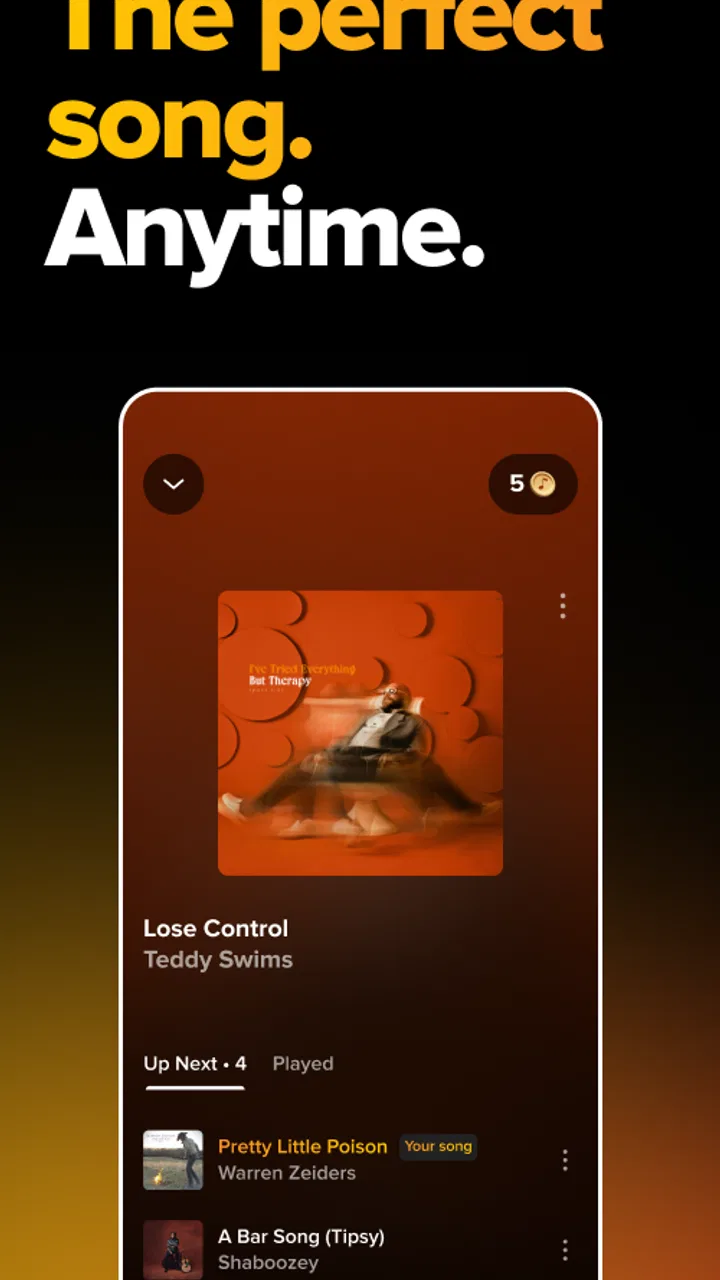
The first thing I noticed is that the app makes more sense as a remote control than as a standalone music player. The central experience is tied to the jukebox in front of me. Instead of treating my phone as the listening destination, it turns the phone into the place where I browse and make selections while the venue’s existing sound system does the work.
You May Also Like

 Blood Strike: 2.5 Anniversary
Blood Strike’s Loadouts Turn Every Drop Into a Tactical Gamble
A close look at Blood Strike’s custom loadouts: how fast access to signature weapons reshapes its battle royale rhythm, rewards preparation, and narrows the gap between fights.

 Pandora - Music & Podcasts
Pandora’s Music Is Easy to Start, but Harder to Recover
Pandora’s strength is its low-effort path from a seed to a station. Its weak spot is how much confidence it asks you to place in connection, setup, and quiet recovery.

 8 Ball Pool
 Is Built on Rivalries, Rematches, and Routine
A close look at the rivalries, rematches, shared routines, and unanswered safety questions that turn a quick pool match into a persistent mobile community.

 Samsung Music
’s Quiet Strength Is Playing What You Already Own
Its reach comes less from spectacle than from dependable access to a personal library. That simplicity is both the app’s strongest retention engine and its ceiling.

 AccuWeather: Weather Radar
AccuWeather Review: A Quick, Clear Forecast for Everyday Decisions
For everyday plans, the best forecast is the one you can understand quickly. AccuWeather makes rain timing, radar, and local conditions easy to act on, with a few trade-offs.

 Hill Climb Racing
Why Hill Climb Racing Still Turns Crashes Into One More Run
A tiny car, a bumpy hill and one more upgrade: Hill Climb Racing keeps resurfacing because its simple chaos makes every near-miss feel personal.
More From Our News Desk



That distinction matters. If I am at home looking for uninterrupted personal listening, I would choose a conventional streaming app. TouchTunes is aimed at a shared environment, where the music belongs to the room rather than to one listener wearing headphones. It is a small but meaningful change in control: I can participate in the atmosphere without needing to handle the physical jukebox every time.
A realistic example is a casual evening with friends. The venue is already playing music, but the mood is drifting away from what the group wants to hear. I can open the app, find the TouchTunes jukebox, and choose a song without interrupting the conversation to stand at the machine. That is the kind of convenience that sounds modest until I use it repeatedly. It reduces the awkwardness of taking over the jukebox and makes music selection feel more like part of the social experience.
The app also suits situations where the physical machine is busy. In a crowded bar, several people may be waiting to browse or make a selection. Using a phone can make the process less cumbersome, especially when I already know the artist or song I want. I still need to pay attention to the venue and the jukebox connection, but the phone-based approach is generally more comfortable than leaning over a shared screen.
Why the venue connection is the whole experience
TouchTunes does not offer the same value everywhere. Its usefulness depends on being in a location with a compatible jukebox, so I would not install it expecting a broad catalog-and-playback experience like a normal music subscription. The app is at its best when I think of it as a tool for a specific outing rather than a permanent replacement for my other audio apps.
This venue-first design gives it a clear advantage over ordinary streaming services in one area: shared control. A streaming app is usually optimized around my account, my headphones, my playlists, and my listening history. TouchTunes is built around a public setting where the music is audible to everyone nearby. That makes it more relevant for a bar, restaurant, or similar social space than a personal player would be.
There is also a practical etiquette benefit. I can make a selection without monopolizing the machine or blocking someone else who is trying to browse. That does not mean every venue will have the same layout or experience, but the app’s basic idea is well suited to places where people are constantly moving around and the music is part of the background atmosphere.
Small habits that make it more useful
My first useful habit is to decide what I want before I start browsing. In a social setting, endless scrolling is less convenient than searching with a clear artist or song in mind. TouchTunes works better when I use it for deliberate choices rather than treating it as a discovery feed.
A second tip is to check that I am interacting with the correct jukebox before confirming anything. In a busy venue, especially one with several screens or a similar-looking setup, a quick glance at the physical machine helps prevent confusion. The app’s value comes from controlling the right location, so this simple check saves frustration.
A third insight is that the app is most effective when I use it to support the room’s mood rather than impose a private listening session. Choosing a recognizable track that fits the moment is more rewarding here than selecting something obscure that only I want to hear. That is not a technical feature, but it is an important difference between this app and a personal music service.
I also prefer using the phone when I want to stay engaged with friends. Walking away from a conversation to operate a jukebox can make the music feel like a separate chore. With TouchTunes, the selection process can happen more casually. The app does not transform the venue, but it removes a little friction from a common social interaction.
What it does well, and where the experience can fall short
The strongest part of TouchTunes is its clarity of purpose. I do not have to wonder why the app exists: it connects my phone with a public jukebox and lets me choose music for the surrounding room. That narrow purpose keeps the concept easy to understand, especially for someone who has never used the system before.
It is also a good fit for people who enjoy having some influence over the soundtrack without becoming the unofficial DJ. I can make a selection, return to the conversation, and let the venue’s system handle playback. Compared with passing a phone around and arguing over a personal playlist, that is a more natural arrangement for a public place.
The app’s popularity supports that practical appeal. It has an average rating of 4.8 from around 110 thousand ratings, and its reach extends to more than five million installs. Those figures do not guarantee that every visit will be seamless, but they suggest that the basic idea works for a large audience. I can understand why: the app solves a recognizable problem without requiring me to learn a complicated music workflow.
Another positive is that the app is free to install. That makes it easy to keep available for occasional nights out, even if I do not use it every week. I do not need to commit to it as my main audio platform. Its low barrier to entry is especially helpful for someone who only encounters TouchTunes occasionally and wants the option ready when a compatible venue appears.
The developer, TouchTunes Music Company, LLC, has kept the product closely tied to its jukebox ecosystem rather than stretching it into a general-purpose music app. In my view, that is the right choice. A broader feature set might sound appealing, but it could also distract from the one job the app needs to perform in the venue.
The meaningful weakness: usefulness depends on circumstances
The biggest weakness is not something I can fix through settings or a better playlist. The app only becomes valuable when the surrounding venue supports the TouchTunes jukebox experience. If I am at a place without the system, the app cannot provide the same function. That makes it inherently less dependable as an everyday music app than services that work wherever I have a connection and my own account.
This dependence can also affect expectations. Someone might install it, open it at home, and assume it should behave like a catalog for personal playback. That is the wrong mental model. The app is connected to a public jukebox context, so its usefulness is situational. I would explain that to a friend before recommending it: download it for the venue experience, not as a replacement for a streaming subscription.
There is a second limitation in the social nature of the system. The music choice is shared, which means my selection may not match everyone’s taste. That is not a flaw unique to the app, but it is part of using it responsibly. The best experience comes from reading the room and accepting that the jukebox serves a group, not one person.
Convenience also depends on how comfortable I am using my phone in a crowded environment. A physical jukebox remains visible and obvious to everyone, while a phone screen can be harder to use when I am holding a drink, talking, or moving through a busy room. In those moments, the app is helpful but not magically hands-free. I still need a moment of attention to browse and confirm a choice.
People who want deep personal organization may also prefer another option. A dedicated streaming service is better for building long-term playlists, listening privately, saving albums, or moving seamlessly between devices. TouchTunes is not trying to win those use cases, and I would not choose it for them.
How it compares with ordinary music alternatives
Compared with a standard streaming app, TouchTunes is less flexible but more socially appropriate in the right setting. Streaming services give me control over what I hear personally and usually work across many contexts. TouchTunes gives me influence over what a whole venue hears, but only through the compatible jukebox environment.
Compared with using the physical jukebox directly, the phone app is more discreet and often easier for searching. I can stay near my group instead of standing at the machine, and I do not need to make the selection process the center of attention. The physical machine still has an advantage when I want to see the venue’s setup clearly or when using my phone would be inconvenient.
Compared with handing a friend a phone and asking them to play something, TouchTunes fits the public setting better because the jukebox remains the shared source. It avoids mixing one person’s private audio account with the venue’s sound system. That separation is one of its less obvious strengths.
Who should install it
I would recommend TouchTunes to people who regularly visit bars, restaurants, or other social venues where TouchTunes jukeboxes are part of the environment. It is particularly useful for anyone who likes choosing familiar songs for a group but dislikes crowding around a public machine. It also makes sense for occasional users because the app is free and does not need to become a daily habit.
It is a good match for groups with different tastes, provided everyone understands that the jukebox is a shared compromise. Friends can take turns influencing the atmosphere instead of relying on one person’s playlist. Used that way, the app adds participation without requiring someone to manage music continuously.
I would skip it if my main goal is private listening, offline playback, extensive playlist management, or a music service that follows me everywhere. A regular streaming app is the better choice for those needs. I would also think twice if I rarely visit venues that use TouchTunes, since the app’s value is tied so closely to those occasions.
The age rating is Teen, so families should keep that classification in mind when deciding who should use it. The app is not presented as a children’s music tool; its natural context is an adult-oriented public venue, even though individual users may encounter it in different settings.
Compatibility and day-to-day practicality
The app supports devices running at least iOS 9, which gives it a broad compatibility range for users with older supported hardware. Its current version is 4.5.1-260226.3. I would still keep the app updated when possible, particularly because a venue-connected experience benefits from using a current release rather than relying on an old installation.
In practice, I would install it before going out rather than waiting until I am already inside a crowded venue. That gives me time to sign in or become familiar with the interface without competing with the noise and distractions of the room. It is a small preparation step, but it makes the first use feel much smoother.
I would also avoid treating the app as the only way to enjoy the evening. If the connection or venue interaction is inconvenient, the physical jukebox may be simpler. The best approach is flexible: use the phone when it saves time, and use the machine or let the existing music continue when that is more natural.
My final recommendation
TouchTunes: Bar Jukebox succeeds because it understands its role. It is not a general music library, a personal streaming replacement, or a sophisticated audio workstation. It is a free companion for controlling the music in a compatible public venue, and within that boundary it can be genuinely convenient.
I especially value the way it lets me participate without taking over the room. Searching from my phone, choosing a track, and returning to the conversation feels more relaxed than managing a physical jukebox for everyone. The trade-off is clear: outside the TouchTunes setting, the app has very little purpose, and even inside one, the shared nature of the music means I have to accept compromises.
With its strong average rating, large user base, and long presence in the music and audio category since its release on March 1, 2011, it has become an established option for this particular kind of outing. I would recommend it to regular visitors of TouchTunes venues and to anyone who wants a convenient way to influence the room’s soundtrack. I would not recommend replacing a normal streaming app with it.
My verdict is simple: install it if public jukeboxes are part of your social life. It makes a specific experience easier, keeps the choice process discreet, and adds useful control without complicating the evening. If you want music that belongs only to you and works everywhere, choose a different tool; if you want to help shape the music in the room, this app is well worth having ready.
FAQs for TouchTunes: Bar Jukebox
01What is TouchTunes: Bar Jukebox, and how does it work?
TouchTunes: Bar Jukebox is a digital jukebox app that allows users to play music in participating bars and restaurants directly from their smartphones. Once you download the app, you can search for nearby locations that have TouchTunes jukeboxes, browse available songs, and pay to play your selected tracks. The app provides a seamless way to control the music in your favorite hangout spots.
02Do I need an account to use the TouchTunes app?
Yes, creating an account is necessary to use the TouchTunes app. This account helps you manage your credits, create playlists, and save your favorite songs. Registration is simple, requiring basic information like your email address. Once logged in, you can easily access your music preferences and past song selections across different venues.
03How much does it cost to play a song on TouchTunes?
The cost to play a song on TouchTunes varies depending on the venue and the popularity of the song. Typically, you will need to purchase credits within the app, which can be used to select and play songs. Special promotions and discounts are sometimes available, providing more value for your credits. Keep an eye on the app for any current deals.
04Can I use TouchTunes outside of bars and restaurants?
TouchTunes is designed specifically for use in bars, restaurants, and other social venues that have a TouchTunes jukebox installed. While you can browse and manage your music preferences from anywhere, you can only play music through the app when you are physically at a participating location. This ensures the music is enjoyed in a shared, communal setting.
05Is my payment information secure on the TouchTunes app?
TouchTunes takes your security seriously, employing industry-standard encryption to protect your payment information. When making purchases within the app, your data is kept secure and private. Additionally, TouchTunes offers multiple payment options, including credit cards and PayPal, giving you flexibility and peace of mind while using the service.
Pros
- Large music library with diverse genres.
- User-friendly interface for easy navigation.
- Allows song selection remotely via smartphone.
- Social features enhance the bar experience.
- Frequent updates with new music releases.
Cons
- Requires internet connectivity for use.
- Some songs require additional credits.
- Limited control over song queue order.
- Ads can interrupt the user experience.
- Not all bars are supported by the app.

TouchTunes: Bar Jukebox
Gallery